Link16 Deploy
Kubernetes Delivery for Every Team
01 Governed delivery
A mature release process from day one
A release process that stays reliable at scale usually takes a platform team years to build. With Link16, every delivery team gets one on day one. They describe an application once and promote the same release through each environment, and the platform team keeps the rules in one place.
Governed application delivery
Standardize how services are deployed across teams without losing the flexibility delivery teams need.
Reusable deployment definitions
Build on shared Bicep-based patterns and promote the same deployment model across environments.
Operational clarity
Give teams a simpler way to ship to Kubernetes with fewer moving parts and stronger guardrails.
02 Deliver anywhere
You decide where your applications run
Rules and customers often require some workloads to stay in the EU or in your own data center, and that usually means a second delivery process. With Link16, a release goes to any Kubernetes cluster you connect, whether it runs in Azure, at a European cloud provider, in your data center or on a test machine. Your applications and the data they process run on infrastructure you choose.
Connect a cluster with one command
Connect any conformant Kubernetes cluster with one command, run wherever kubectl reaches it. Your admin credentials never leave your machine.
Test machines get the same releases
A single server in the lab receives releases the same way production does, so your tests run against what actually ships.
Change providers without new pipelines
To move an application to another provider, you connect the new cluster. The release process stays the same.
Delivery targets
shop · 2026.08.29-6
- Ready
aks-prod-gwc
Azure · Germany West Central
- Ready
eu-prod-fra-01
European cloud · Frankfurt
- Rolling out
dc-muc-k8s-01
Own data center · Munich
- Ready
lab-k3s-02
Test lab · single server
3 of 4 clusters run this release
03 AI agents
Agent-native deployments
Release days disappear into checking environments, promoting builds and watching rollouts. Let your agents do that work, and step in only when something needs a decision.
The same operations as the API
The MCP endpoint offers every Deploy operation the versioned API has, like diagnosing an environment, promoting a release or cancelling a run. Any MCP client can connect, so you don't write integration code.
Agents follow the rollout for you
After a promotion, the agent tracks each wave and reports back when the run is done. Nobody has to keep a dashboard open. Write calls carry a request ID, so an agent can retry a call without starting a second rollout.
Agents find out why a rollout failed
Agents read the workload logs to find the cause of a failed rollout, and you can ask the assistant in the portal the same questions. With approvals per environment, agents deploy to staging on their own and your team approves production.
Agent session
/api/v1/mcp
You
Promote what staging runs to production once it's healthy.
deploy_diagnose_environmentRead onlyReady · staging · 2026.08.29-6
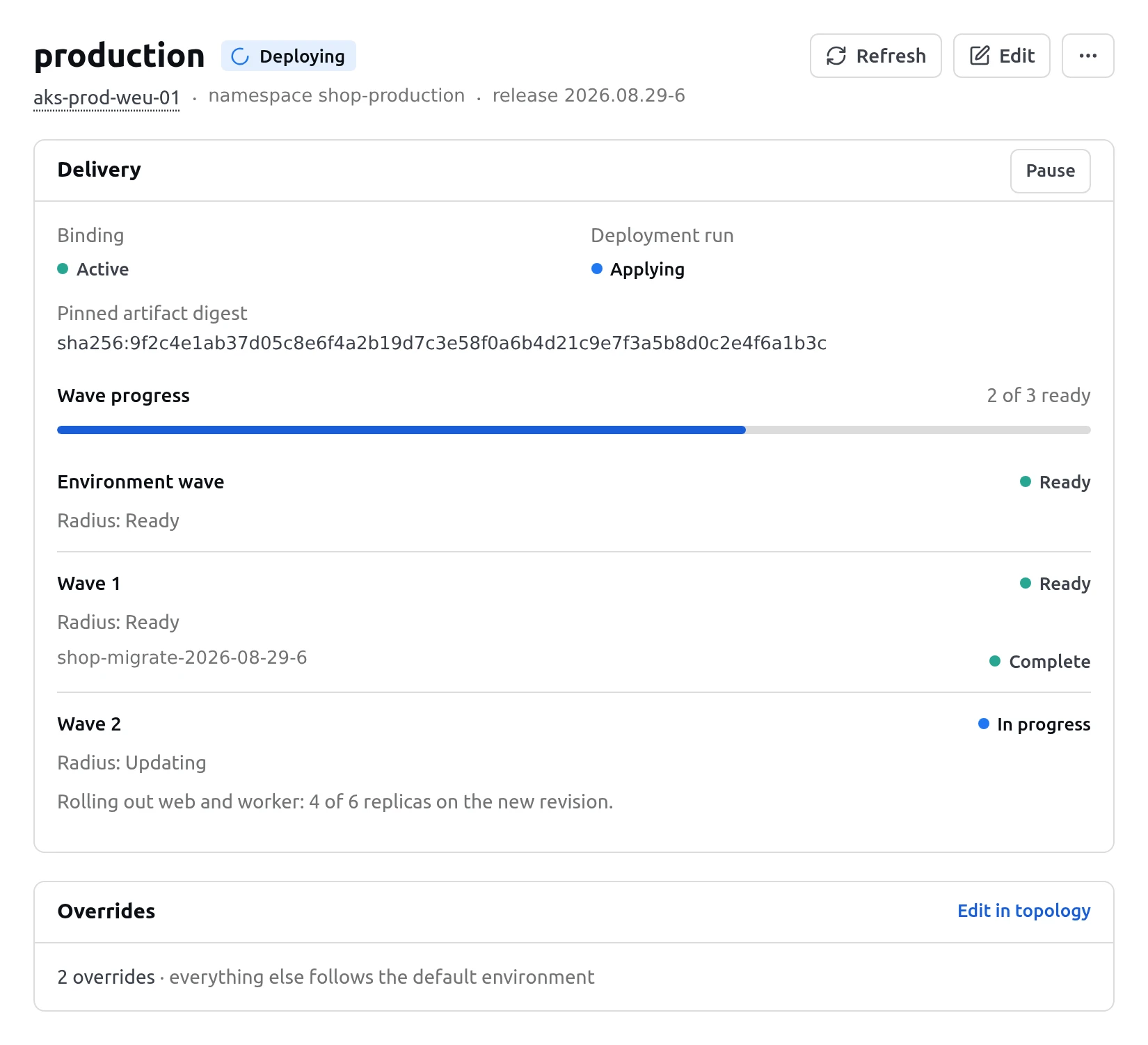
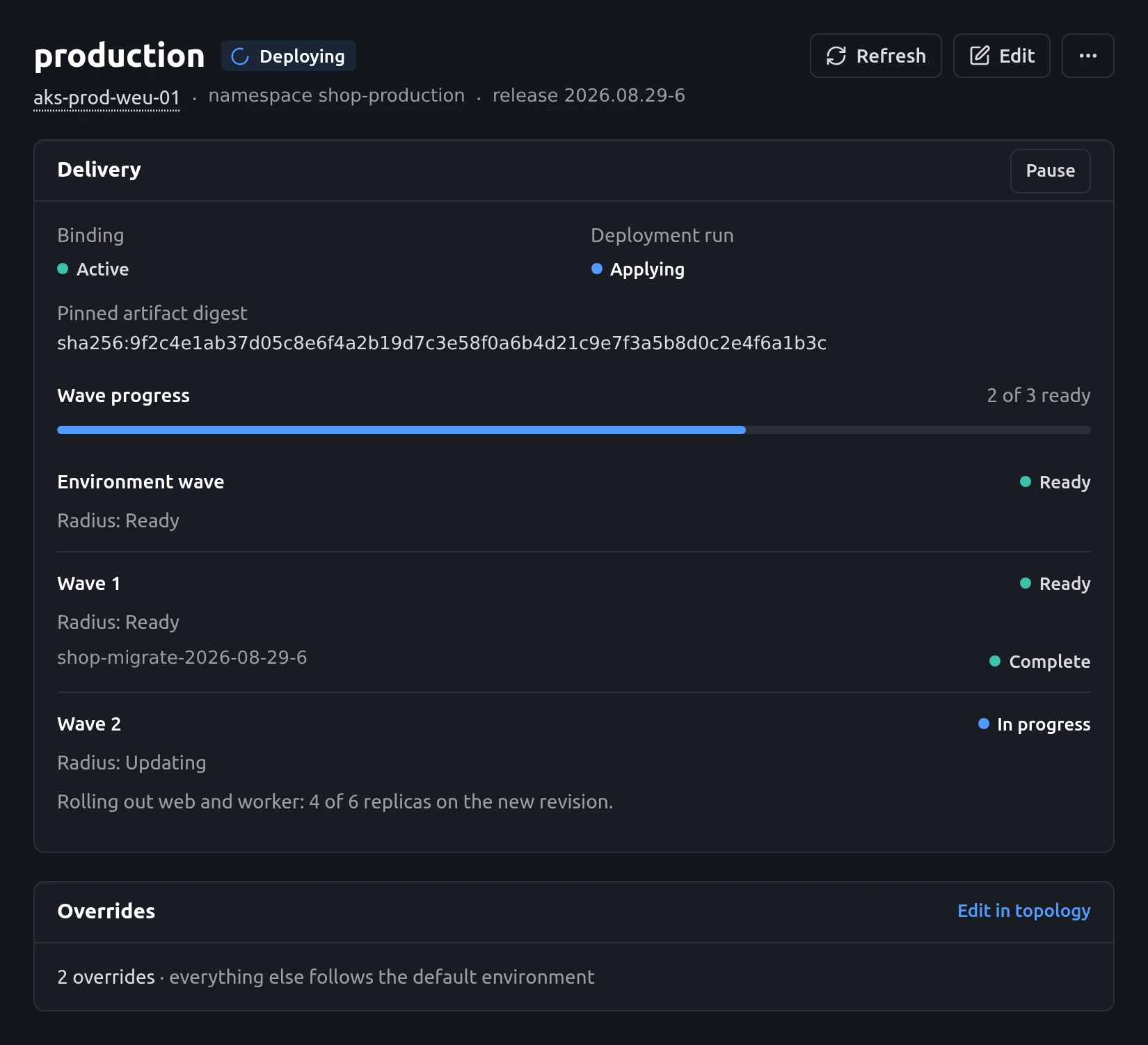
deploy_promote_releaseChanges stateQueued · production · run 3a53057d
deploy_get_runRead onlyApplying · wave 2 of 3
Agent
Staging is ready on 2026.08.29-6, so I promoted it. Production is rolling out, and I'll report back when the run finishes.
04 Local development
Develop locally, ship to any cluster
Local setups usually drift from what production runs, so problems show up only after the first deployment. With the l16 CLI, one command starts a local Kubernetes cluster with the platform components and versions your clusters run, like Radius, Dapr and PostgreSQL. The application definition you build there is the same one Deploy releases to every cluster you connect.
A local cluster in one command
l16 up starts a kind or k3d cluster with a local registry, Radius, Dapr and PostgreSQL, pinned to the platform release your clusters use.
Hot reload on the real platform
l16 dev syncs code changes into the running cluster, so you see them in seconds instead of after a pipeline run.
From laptop to release
l16 sync hands the application definition to Deploy, and l16 platform creates and promotes releases from the terminal.
l16
~/shop
$ l16 up
kind cluster shop-local is ready
Radius and Dapr match platform release 1.2.0
shop deployed to namespace local
$ l16 sync
Topology applied to Deploy application shop
$ l16 platform releases promote --release 2026.08.29-6
Run queued for production
Request early access
Join the preview and be among the first to streamline your enterprise governance.